
- Go to Stripe
1. Go to transactions on the menu on the left hand side
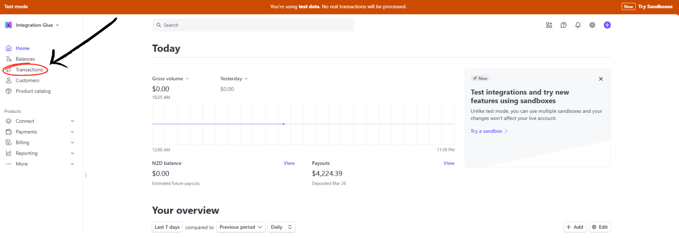
2. Select which transaction you want to refund 
3. Click the 'refund' button up the top right 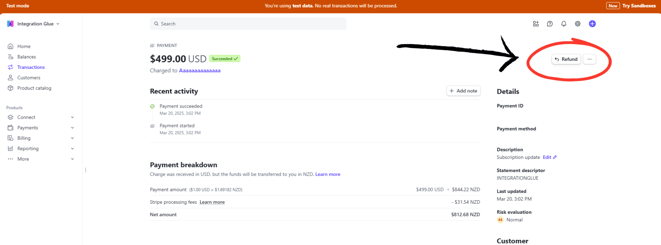
4. Select the reason for the refund then click 'Refund'
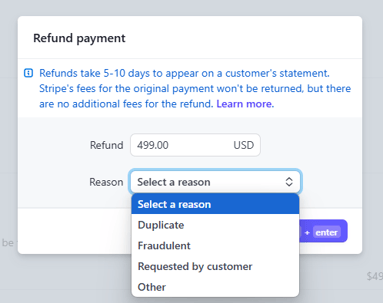
5. That transaction will now be refunded