
HubSpot is deprecating legacy app CRM cards on October 30th. To ensure uninterrupted service, the Address Manager app has been migrated to HubSpot Projects.
As part of this migration, existing legacy Address Manager CRM cards will no longer display on your record views. You must manually re-add the updated CRM card to the record view for each object where you use Address Manager (e.g., Contacts, Companies, Deals).
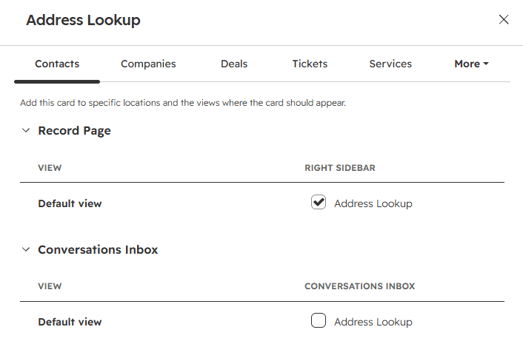
As part of this migration, existing legacy Address Manager CRM cards will no longer display on your record views. You must manually re-add the updated CRM card to the record view for each object where you use Address Manager (e.g., Contacts, Companies, Deals).
Steps to Re-Add the Card
-
Go to Settings -> Objects -> Select your object (Contacts, Companies, Deals, or others).
-
Click record customisation tab
-
Select Default view.
-
In the right column, click + (Add Card).
-
Open the Card Library, select Address Manager, and click Add Card.
-
Save and exit.
- Repeat those steps for every record type where you want to view address data.
If you see this notification on your Address Manager CRM Card: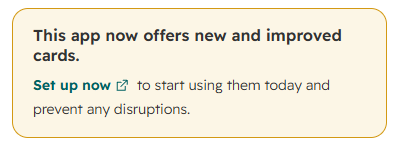
Follow these steps:
- Click Set up now.
- Goto Settings -> App Card -> Manage Location.
- Tick the boxes for each CRM View you wan to add to and Save.