
Contact Based Examples
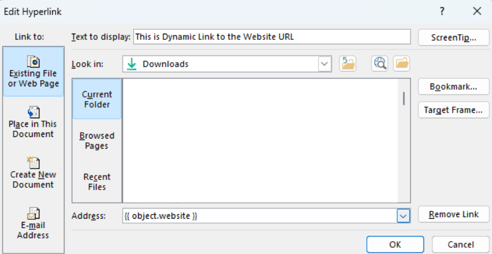
- Dynamic hyperlinks use a placeholder of any text of your choice but will take the website associated with the enrolled object and change according to the enrolled object.
- If the contact has a property with a website URL in it then the Dynamic Hyperlink grabs that link and puts it in the text
- You can see this in the address field at the bottom
Website URL (Edit Link) eg: This is Dynamic Link to the Website URL
- The link here is just to show you, the text is a placeholder for the changing dynamic link
Deal Based Examples
- Dynamic hyperlinks use a placeholder of any text of your choice but will take the property with a URL (could be a website) associated with the enrolled object and change according to the enrolled object.
- If the contact has a property with a URL in it then the Dynamic Hyperlink grabs that link and puts it in the text due to the token in the hyperlink
- This URL will take you to your product image on the deal

URL (Edit Link): This is Dynamic Link to the Website URL