
The 'Clone Line Items Between Deals Using Associations' action allows you to copy line items from one deal and associate them with another deal based on pre-existing associations between records. This action is helpful when you want to replicate line items while maintaining relevant associations with the associated records
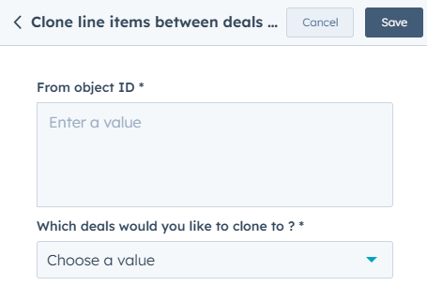
From Object ID: This is the source deal ID, which contains the line items you want to clone.
Which Deals Would You Like to Clone To: allows you to specify the target deals to which the line items will be cloned. You can choose one or multiple deals to clone the line items into.
It ensures that line items are cloned and associated correctly without needing to manually recreate the links, making it more efficient for businesses handling deals with complex associations or relationships.
Step 1: Create a New Workflow
- In HubSpot, navigate to Automation > Workflows.
- Click Create workflow and choose Deal-based workflow.
- Select Start from scratch and click Next.
Step 2: Set the Enrollment Trigger
- Click Set up trigger.
- Choose a deal-based property that determines when line items should be cloned (e.g., "Deal Stage is Proposal Sent").
- Click Apply filter and then Save.
Step 3: Add the ‘Clone Line Items Between Deals Using Associations’ Action
- Click + (Add an action) and search for Clone Line Items Between Deals Using Associations.
- Select the action to configure its settings.
Step 4: Define the Source and Target Deals
Source Deal (From Object ID)
- From Object ID: Enter the deal ID containing the line items you want to clone.
- This is the source deal from which all line items will be copied.
Target Deals (Which Deals Would You Like to Clone To)
- Select the target deals where the line items will be copied.
- You can specify one or multiple deals to receive the cloned line items.
Click Save to finalize the action.
Step 5: Review and Activate the Workflow
- Click Review to check for any missing fields.
- Click Turn on to activate the workflow.